One of our users tor have created a great script, I will just copy paste of what he said on the forums:
I’ve created a simple Greasemonkey script (aka. user script) that can be installed in Firefox, Google Chrome or Opera. When viewing a game in the Steam store the script will modify the page so that prices are displayed in all three currencies. (USD, GBP and EUR) Feel free to try it out.
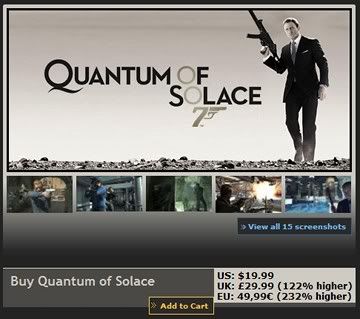
EDIT: I updated the script to display the price difference in percent as well. This makes comparison much easier. The website now also contains instructions for installing the script in Chrome.
EDIT2: Updated the script to understand prices written with dashes instead of zeroes, e.g. "5,–".
This is just great, thanks tor!
—
Note #1: If you are from different Tier you will obviously see other percentages for games.
Note #2: The script uses Tier 2 as default, to modify that you gotta change the ?cc=no to your country in the code.


Leave a Reply